- Csatlakozás
- 2008.06.04.
- Üzenetek
- 3,674
- Reakció pontszám
- 105
http://www.youtube.com/watch?v=xN0VIgO3U0k#
http://www.youtube.com/watch?v=Swy7VZOxBWc#
<strong>[Install WinXP,7,8,10]</strong>
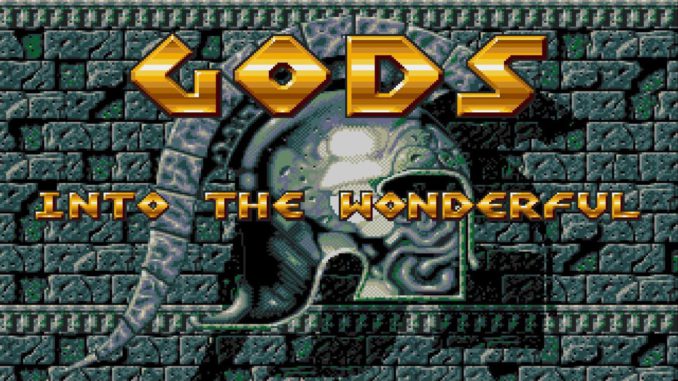
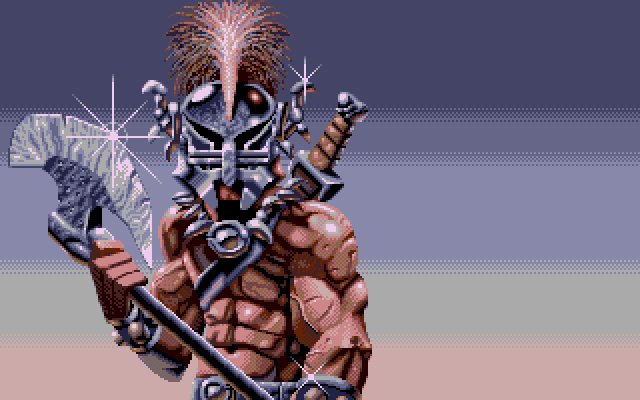
<strong>Gods -Deluxe- is a remake of the excellent Bitmap Brothers platform game
All classic levels are now complete and working, and there's 4 extra full levels from me. </strong>
1. Download JOTD Site <strong>[ </strong><a class="bbc_link" href="http://jotd.pagesperso-orange.fr/gods/index.html" target="_blank" rel="noopener">Jotd Gods site</a> <strong>]</strong>
2. Install Java Runtime 1.6 (6.0) is recommended (need)
Java Runtime 1.5 (5.0) also works but you cannot run the editor, and the game only works in windowed mode. (if you want)
(Win10 install Java Runtime 1.8 <strong>[ </strong><a class="bbc_link" href="http://www.oracle.com/technetwork/java/javase/downloads/jre8-downloads-2133155.html" target="_blank" rel="noopener">Java 1.8 versions</a> <strong>]</strong> and <strong>skip</strong> 3 step!)
3. Edit scripts\gods_loader.bat
The bat file you start Gods with and add:
<h5><code class="bbc_code">set PATH=%PATH%;C:\Program Files\Java\jre6\bin\</code></h5>
(Check if javaw.exe is in 'C:\Program Files\Java\jre6\bin\'.)
4. Play <img class="smiley" title="Afro" src="https://tzsweb.mintaka.alfanet.hu/smf/Smileys/animated/afro.gif" alt="O0" /> <img class="smiley" title="" src="https://tzsweb.mintaka.alfanet.hu/smf/Smileys/animated/13ymckw.gif" alt=";
" />
<img class="alignnone wp-image-8045 size-full" src="https://tzsweb.hu/wp-content/uploads/2017/02/Gods_Amiga_03-1.png" alt="" width="640" height="400" />
<strong>[Info + Link]</strong>
<a href="https://github.com/jotd666/gods-deluxe/releases/tag/0.9.0" target="_blank" rel="noopener">jotd - github.com</a>
http://www.youtube.com/watch?v=Swy7VZOxBWc#
<strong>[Install WinXP,7,8,10]</strong>
<strong>Gods -Deluxe- is a remake of the excellent Bitmap Brothers platform game
All classic levels are now complete and working, and there's 4 extra full levels from me. </strong>
1. Download JOTD Site <strong>[ </strong><a class="bbc_link" href="http://jotd.pagesperso-orange.fr/gods/index.html" target="_blank" rel="noopener">Jotd Gods site</a> <strong>]</strong>
2. Install Java Runtime 1.6 (6.0) is recommended (need)
Java Runtime 1.5 (5.0) also works but you cannot run the editor, and the game only works in windowed mode. (if you want)
(Win10 install Java Runtime 1.8 <strong>[ </strong><a class="bbc_link" href="http://www.oracle.com/technetwork/java/javase/downloads/jre8-downloads-2133155.html" target="_blank" rel="noopener">Java 1.8 versions</a> <strong>]</strong> and <strong>skip</strong> 3 step!)
3. Edit scripts\gods_loader.bat
The bat file you start Gods with and add:
<h5><code class="bbc_code">set PATH=%PATH%;C:\Program Files\Java\jre6\bin\</code></h5>
(Check if javaw.exe is in 'C:\Program Files\Java\jre6\bin\'.)
4. Play <img class="smiley" title="Afro" src="https://tzsweb.mintaka.alfanet.hu/smf/Smileys/animated/afro.gif" alt="O0" /> <img class="smiley" title="" src="https://tzsweb.mintaka.alfanet.hu/smf/Smileys/animated/13ymckw.gif" alt=";
<img class="alignnone wp-image-8045 size-full" src="https://tzsweb.hu/wp-content/uploads/2017/02/Gods_Amiga_03-1.png" alt="" width="640" height="400" />
<strong>[Info + Link]</strong>
<a href="https://github.com/jotd666/gods-deluxe/releases/tag/0.9.0" target="_blank" rel="noopener">jotd - github.com</a>